Archives for category: Ideas

So you wanna learn some web skills? Think you got what it takes? Good, because all it REALLY takes is patience, and practice. Let’s get started.
Be Social. Use Social Media or fall behind.

This is really step 0.5. If you aren’t following the experts in your field, start there. By following designers, developers, firms, and organizations, you can stay on the cutting edge of what’s happening, what’s hated, what’s hot… basically what the movers and shakers of the web world are up to.

Here’s a list to follow to get you started. (mostly resources, downloads, articles)

Here’s a list of Behance’s “creatives to watch.” (mostly designers’ personal twitters)

Use Resources. Don’t re-invent the wheel if you don’t have to.

There are hundreds of thousands of free, open-source resources available on the internet for you to download, learn from, and make your own. Google is a good first bet for any web-design question, but after a while you get the hang of where to look. For starters, bookmark the following tools/resources I use on the regular:

Keep Learning. Weather you’re gaining knowledge or practicing skills, keep leveling up. Resting on your laurels is a wicked bad mistake, yo.

Read blogs for breakfast, and image galleries for dessert. Knowledge is power. Keep your mind sharp and your subconscious swimming with beautiful and original work.

News & Opinions:

Typography & Art:

UI/Web/App Inspiration:

Stay Passionate. Believe in yourself & be a rockstar.

It can be intimidating, especially when you’re aware of the vast amount of knowledge and skill you don’t possess. But if you keep calm, utilize your resources, pay attention to trendsetters, keep your finger to the pulse of the scene, never stop learning, and don’t give up — I can guarantee you’ll be a pro in no-time.

Now that we’ve gone over that — let’s make some stuff. To start, open these tabs:

Thanks for following along, I hope this was as much fun for you as it was for me! ♥


Warning. This guide is not for internet newbies. If you don’t have a basic understanding of how to use keywords with Google or really have no idea what you’re doing on Twitter, start here instead:

If you’re literally new to Twitter.   / /   If you want to learn about Twitter etiquette. 

Twitter.

It allows you to directly connect to, well, anybody in the world.

What do you do with this power? The importance of this is NOT to see what Ashton Kutcher had for lunch, or how Tyler the Creator feels about Tim Tebow. Yes, these anecdotes can be entertaining, and I do follow people purely for comic relief, but the real meat of my Twitter stream is cutting-edge information-sharing about design, sustainability, technology, and business.

The key is that you can directly connect with the REAL industry trendsetters, and the people who are laying the foundations for the future. The 20-somethings that are working hard on the next big thing, the 30-somethings who publish open-source books on how to learn and master the most useful javascript patterns.

I’m going to explain to you how to find the types of people you care about following, en-masse, so that your Twitter feed becomes an endless source of knowledge. So, without further ado:

Step 1: Do a Google Search

Start off by using what’s already out there. “Designers to follow” “Engineers to follow” “Creative writers to follow” are all search entries that will yield plenty of results. You will find lists of Twitter users who are deemed ‘essential’ to follow by bloggers, industry organizations, and established industry professionals.

Step 2: Open Tabs & Prepare to Browse

Take these lists and bookmark them. Get a cup of coffee. Stretch your wrists.

Step 3: Dig, Dig, Dig

Do NOT go through these lists following everyone. But rather , spend a few minutes on each listed user, browsing their tweets looking for other users they engage with. This means digging a little bit and taking the time to see who’s talking about the latest and greatest things. Eventually you will find clusters of interconnected of professionals who operate within your niche, or a niche that is of importance to you.

Good Luck & Happy following! Check out the Infographic!

–Will

What is instagram?

Instagram is an amazing photo community consisting entirely of iPhone photographers.

I downloaded Instagram when my friend told me about it several months ago. I was instantly hooked. Not only does it provide a cloud to save and keep track of all your fun, quirky photos, but there are tons of users that you can ‘follow’ so that their photos appear in your home feed.

The UI for Instagram's stream.

Instagram allows you to easily put filters on them that bring out the personality of the photo. The beauty here is that the blandness normally resulting from camera phones is now a non-issue. You can quickly slap a colorful or high contrast filter on a photo so that it emulates real life!

But what’s best of all is that Instagram allows for EASY platform integration. When I take a photo, it is posted to my Tumblr blog, my Twitter, AND my Facebook immediately, allowing me to share events, news, or exciting finds real time across all my social media platforms. (I wonder how long it’s going to take them to add Google+?)

"It's a beautiful day for a Pool Party @TheEstates! Come hang out! #swag #weekend" an appropriate tweet accompanying this photo.

I use Instagram nearly every day- and dozens of times throughout the day on the weekends and on vacation. To check out photos from my recent trip to New York (and the rest of my Instagrams) follow me on Instagram @willnewton or check out my blog’s Instagram tag feed!

So the next time somebody asks you about Instagram remember everyone, it’s more than just a photo app.

Download Instagram here: http://instagr.am/ (try putting it in your phone’s browser!)

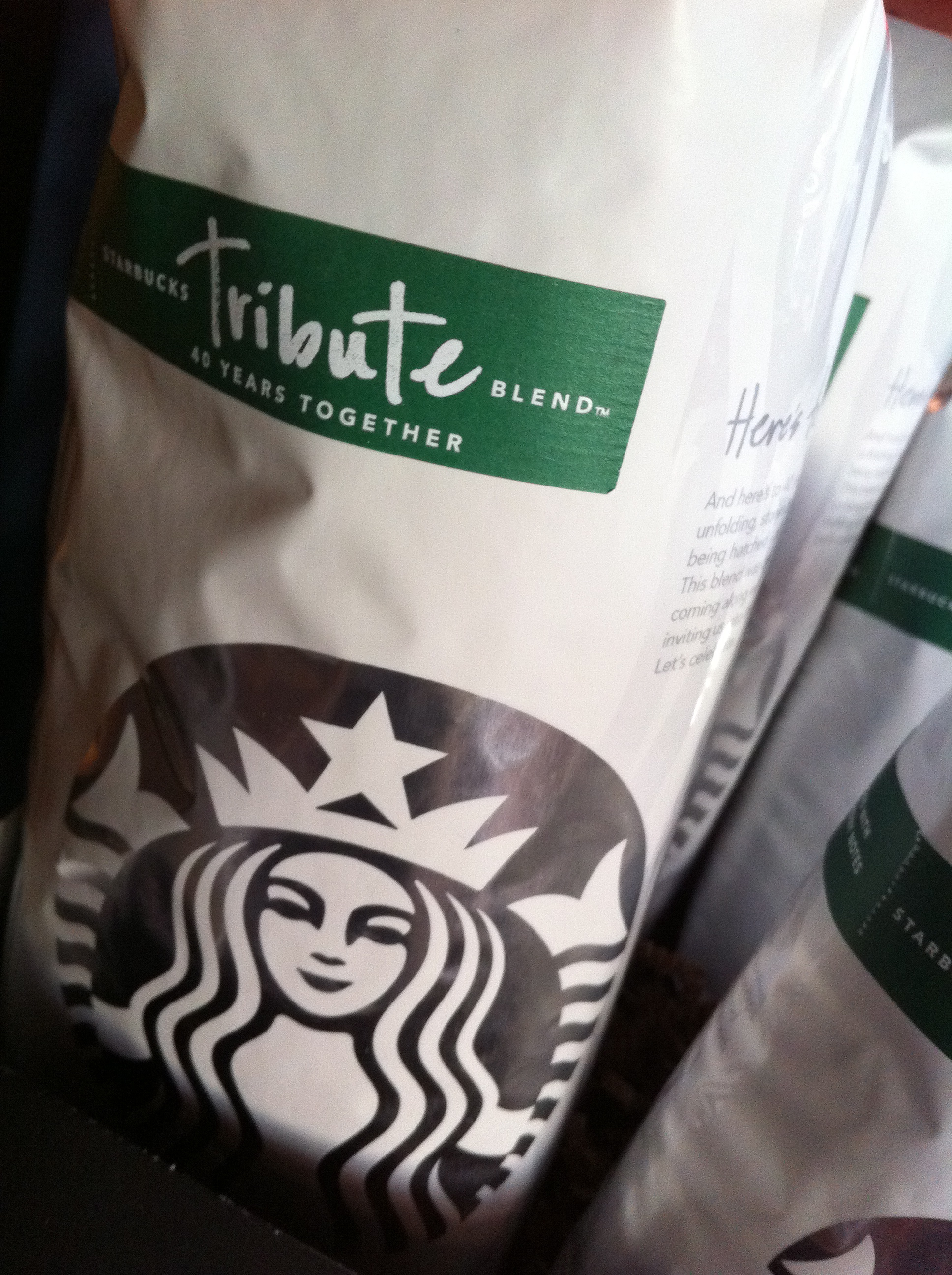
As I walked into my favorite corporate chain coffee shop, something felt a little bit different…

The rebrand had taken effect. After 3 months of waiting I was excited to witness firsthand the glorious minimalist aesthetic.

The clean green and white cups, the earthy sleeve, the texture of the 10% post-consumer recycled fiber. It was better than I had imagined. To my pleasant surprise, they had a 40 year anniversary blend, appropriately named “Tribute” which I tried. As I sip on it now, believe me, it is delicious. A tribute to Starbucks indeed.

I do. Well, not really, but I feel like I invoked one during this project. For those of you who don’t know what that means or who the subject matter is, you need to watch Dexter on showtime. It really is a great show. In order to quell my desire for the upcoming sixth season, I decided to digitally paint the enlightened serial killer. I’m debating on whether to make a tutorial on how to do this, it really depends on how people respond to it. Enjoy!

Truth be told, I’m tired of girls going on about how all guys are assholes. They claim to want the nice guy, then go out and date another fist-pumping douchebag. Rinse, lather, repeat.  I figure if I brand this on my body somewhere, maybe the ladies will realize the error of their ways and start practicing what they preach.

So say hello!

The ominous, frightening image below explores the idea of the Internet Generation. In an era where everything we want is accessible at the touch of a button, instant gratification is expected and demanded. We derive our life force from this interconnectedness, from these constant interactions. Whether or not we choose to participate, we are all connected all the time. The grungy scene is not only a metaphor for our present state but also depicts what life may be like once we become merged with the technological devices that we take for granted.

The image was created in Photoshop from pictures of computer parts, cables, speakers, and a model. What better way to depict a technologically-based culture than using technology?

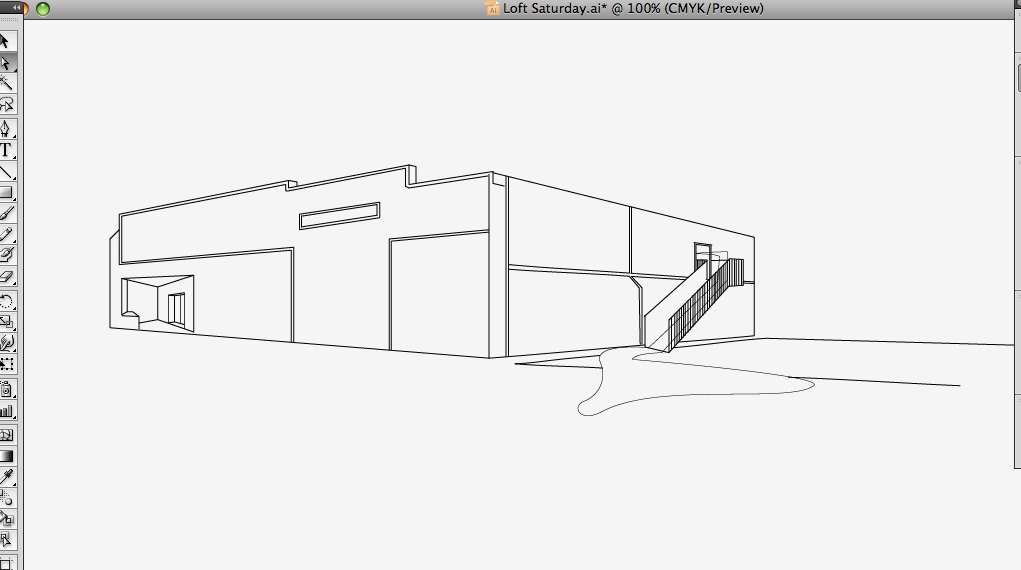
Hello, today I am going to walk you through how to make really cool architectural vector-based graphics in Adobe Illustrator.

Step 1: Get a Digital Image

You need a photograph, or other digital image, of the thing you want to stylize. Import this image into Illustrator and make it fill the artboard (Use the Select tool to drag the corner of the image & hold Shift to make sure it stays proportional).

Once you have your image ready, set it to 50% opacity, and lock the layer.

Step 2: On a New Layer, Trace the Image

Make a new layer. Using the line (for straight lines) or pen (for curved lines) tool, trace around the image, giving it form. Try to trace as many details as possible, and be sure to use Shift to make straight vertical and horizontal lines. When you have lines that need to be identical, a neat trick is to simply copy the line with the select tool. This can be done by holding Option (Control for PCs) and clicking and dragging on the line. Continue making lines until you have enough detail to bring your image to life. Feel free to bend the rules, or add your own touches; after all, that’s what being creative is all about!

When you think you are finished tracing, hide the image layer below and behold your creation!

Step 3: The Final Touches

You’re almost done. This last part is just for kicks, to add an extra element or two to complete your design. Incorporate your image into a poster, add text, add color, do whatever you want. As you can see below, I made a flyer with a stylized ‘map’ showing the location of a club that is a little tricky to find. Not anymore, thanks to my graphic!

My final graphic, incorporated into a promotional flyer.

My overall feeling towards our esteemed benefactors. Unfortunately, the combination of a sudden fever and a late day of classes means I’ll have to postpone my more ambitious and time-consuming ideas. In the meantime, here’s a little something for you. That’s two political posts in a row. Interesting, no?

Hey, thanks guys!

Sometimes I enjoy walking about campus during the day, for no particular reason. It’s nice to enjoy the weather and just look at people. I wonder what they’re all doing. I know that I’m doing nothing, just exploring my world. It’s like I’ve got a little secret.

My walk being relatively inconclusive, I later felt the urge to expand beyond my daily designing and do some pro-bono work. While the new Twitter layout improves Twitter’s functionality, it allows for much less design space- hardly over 100 pixels. Total lamesauce if you ask me. Regardless, this design will look great when implemented.

Click for full size.

Oh yeah, and here’s my design of the day.